
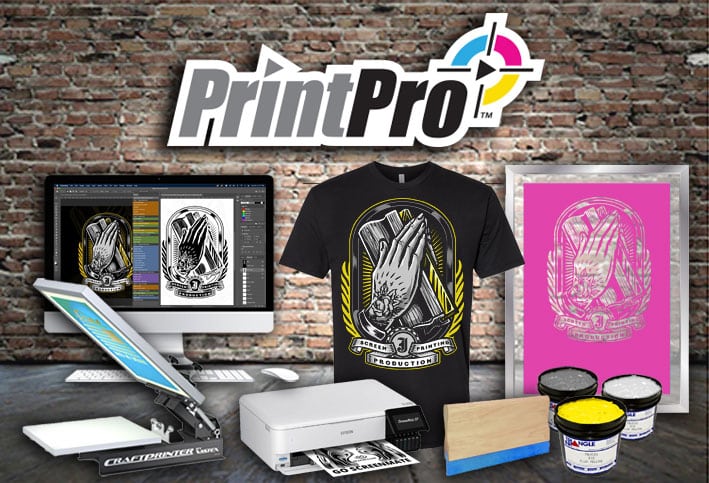
Learn How to Screen Print Like a Pro, or even Start a Business, Without Wasting Months or Even Years Trying to Figure it out All on Your Own
Course Content
Welcome to the PrintPro™ Masterclass
Welcome & Joining the Community.
You don't currently have access to this content
How to Get Support.
You don't currently have access to this content
Common Screen Printing Terms.
You don't currently have access to this content
EQUIPMENT, SOFTWARE & SUPPLIES
Wholesale Supply and T-Shirt Vendors.
You don't currently have access to this content
Computer Requirement Guide.
You don't currently have access to this content
Discounted Adobe Suite Link.
You don't currently have access to this content
Starting with NO Money.
You don't currently have access to this content
$250 Equipment Budget Recommendations.
You don't currently have access to this content
$1,000 Equipment Budget Recommendations.
You don't currently have access to this content
$2,500+ Equipment Budget Recommendations.
You don't currently have access to this content
30 Minute Exercise: Plan Your Equipment.
You don't currently have access to this content
INTRO TO ILLUSTRATOR
Creating and Saving a New Document.
You don't currently have access to this content
The Most Used Illustrator Tools.
You don't currently have access to this content
Windows / Pallets You’ll Work With The Most.
You don't currently have access to this content
Using the Pen Tool.
You don't currently have access to this content
Creating Text and Best Design Practices.
You don't currently have access to this content
30 Minute Exercise: Recreate the Star Furniture Design.
You don't currently have access to this content
INTRO TO PHOTOSHOP
Creating a New Document.
You don't currently have access to this content
The Most Used Photoshop Tools.
You don't currently have access to this content
Windows / Pallets You’ll Work With The Most.
You don't currently have access to this content
Using the Pen Tool.
You don't currently have access to this content
Layers Tips & Tricks.
You don't currently have access to this content
The Power of the Mask Tool.
You don't currently have access to this content
Creating Your First Design.
Why Less is More. Screen Print Design Theory.
You don't currently have access to this content
How to Create a Pixel / Raster Design in Photoshop.
You don't currently have access to this content
How to Create a Vector Design in Illustrator Example 1.
You don't currently have access to this content
Designing a T-Shirt in Adobe Illustrator Example 2.
You don't currently have access to this content
Designing a T-Shirt in Adobe Illustrator Example 3.
You don't currently have access to this content
Advanced T-Shirt Design Using Illustrator and Photoshop.
You don't currently have access to this content
1 Hour Exercise: Create a Design.
You don't currently have access to this content
HOW TO SEPARATE ARTWORK
Screen Print Color Theory.
You don't currently have access to this content
What is Choke and Spread?
You don't currently have access to this content
How to Separate Complex Vector Art in Illustrator.
You don't currently have access to this content
Separating Pixel / Raster Art in Photoshop.
You don't currently have access to this content
Why You NEED to Create a White Top.
You don't currently have access to this content
Separating for Dark Inks (Black and Navy). Coming Soon!
You don't currently have access to this content
Trapping Separations with Black. Coming Soon!
You don't currently have access to this content
1 Hour Exercise: Separate a Design. Coming Soon!
You don't currently have access to this content
PRINTING FILM 101
Where to Get Affordable InkJet Film.
You don't currently have access to this content
Using an All Black System.
You don't currently have access to this content
Installing an All Black CIS (Continuous Ink System).
You don't currently have access to this content
Installing a Reusable Ink Waste Tank.
You don't currently have access to this content
Is a RIP Software Necessary? Coming Soon!
You don't currently have access to this content
Producing Dense Film.
You don't currently have access to this content
30 Minute Exercise: Print Out a Dense Piece of Film. Coming Soon!
You don't currently have access to this content
COATING SCREENS WITH EMULSION
Which Mesh Count Should I Use?
You don't currently have access to this content
The Different Types of Emulsion.
You don't currently have access to this content
How to Mix a Diazo Emulsion.
You don't currently have access to this content
How to Mix Diazo Emulsion Example 2.
You don't currently have access to this content
How to Coat Screens with Emulsion.
You don't currently have access to this content
How to Coat Screens with Emulsion Example 2.
You don't currently have access to this content
Easy Darkroom Setup.
You don't currently have access to this content
Do You Need a Darkroom?
You don't currently have access to this content
Storing Emulsion and Shelf Life.
You don't currently have access to this content
30 Minute Exercise: Coat Your First Screen(s).
You don't currently have access to this content
EXPOSING YOUR SCREENS.
Exposing Your Screens with an LED Lamp.
You don't currently have access to this content
How to Expose Your Screens with an Exposure Unit.
You don't currently have access to this content
Testing Exposure Times.
You don't currently have access to this content
30 Minutes+ Exercise: Expose Your First Screen(s).
You don't currently have access to this content
PRE-PRESS SETUP.
FREE!!! PMI Tape Sample Pack.
You don't currently have access to this content
Using Pallet Tape.
You don't currently have access to this content
PMI Dual Tack Pallet Tape How to.
You don't currently have access to this content
Keeping Pallet Tape From Coming Up.
You don't currently have access to this content
The Different Types of Pallet Adhesive.
You don't currently have access to this content
How to Remove Lint and Renew Water Based Pallet Tack.
You don't currently have access to this content
Taping Up Your Screens.
You don't currently have access to this content
How to Center a Single Color Job and All of Your Pallets.
You don't currently have access to this content
Registering a Multiple Color Job.
You don't currently have access to this content
Adding Ink to Your Screen(s) Without a Mess.
You don't currently have access to this content
The Benefits of Warming Up Your Pallets Before Printing.
You don't currently have access to this content
1-2 Hour(s) Exercise: Get Your Press Ready for Print.
You don't currently have access to this content
SCREEN PRINTING LIKE A PRO.
Squeegee Durometer Selection.
You don't currently have access to this content
How to Flood and Print.
You don't currently have access to this content
Push vs Pull Printing.
You don't currently have access to this content
The Importance of Your Squeegee Angle and Pressure.
You don't currently have access to this content
How to Flash Your White Base.
You don't currently have access to this content
Producing Test Prints and Micro-Registration.
You don't currently have access to this content
How to Screen Print a Bright White on Dark Garments.
You don't currently have access to this content
How to Screen Print Multiple Colors Wet on Wet – White Shirts.
You don't currently have access to this content
How to Screen Print Multiple Colors Wet on Wet – Black Shirts.
You don't currently have access to this content
How to Change Ink Colors on Press.
You don't currently have access to this content
X Hour(s) Exercise: Get Behind the Press and Produce Some Prints!
You don't currently have access to this content
HOW TO CURE YOUR SHIRTS.
What Temp Should You Cure Your Shirts at?
You don't currently have access to this content
How Long Should You Cure Your Shirts?
You don't currently have access to this content
Curing Cotton Shirts.
You don't currently have access to this content
Curing Polyester and Blends.
You don't currently have access to this content
The Stretch Test.
You don't currently have access to this content
TROUBLESHOOTING SCREEN PRINTING.
Issues Print Flash Print Flashing the White Base.
You don't currently have access to this content
Using Too Low of a Mesh Count.
You don't currently have access to this content
Removing Ink Stains and Mistakes.
You don't currently have access to this content
My Shirts Are Darker After Curing.
You don't currently have access to this content
Ghosting or Prints That Look Hazy.
You don't currently have access to this content
Bubbles or Pinholes Coming Through Top Colors.
You don't currently have access to this content
Dye Migration. What is it and How to Avoid it?
You don't currently have access to this content
Over-Curing Shirts and Signs.
You don't currently have access to this content
Burnt Shirts on Pallet and After Curing.
You don't currently have access to this content
PRESS BREAKDOWN AND CLEAN-UP.
Removing Ink From Your Screens & Squeegees.
You don't currently have access to this content
How to Reclaim Screens.
You don't currently have access to this content
Do I Need a Dip Tank?
You don't currently have access to this content
1+ Hour(s) Exercise: Breakdown Your Press and Clean Up.
You don't currently have access to this content
SPECIALTY SCREEN PRINTING TUTORIALS.
How to Screen Print on Sleeves.
You don't currently have access to this content
Print Neck Tags and Removing.
You don't currently have access to this content
How to Screen Print on Pockets.
You don't currently have access to this content
How to Screen Print Metallic Ink.
You don't currently have access to this content
How to Screen and Heat Press Foil.
You don't currently have access to this content
Using a Dye Blocker.
You don't currently have access to this content
Screen Printing Reflective Inks.
You don't currently have access to this content
Printing on Spandex.
You don't currently have access to this content
How to Screen Print Koozies.
You don't currently have access to this content

Hi Mikey!
Great contents. Looking forward to learning these materials. Just wondering, does the introductory video or the initial videos include aligning or zeroing the press using the XYZ micros for a perfect print? Didn’t see that n the contents. What about going over the basic parts of the press and their uses. That will be very helpful for newbies like us. Thanks 🙏🏾
Hey Daniel! I could certainly add that to the course. Thanks for the feedback and I’ll work on adding that. I take it you’re talking about on a manual press?
Hi I am interested of the course but don’t have any RIP software and my inkjet printer is Epson EP -982A3 model so I don’t think if there is a RIP software that available of this MODEL
I don’t have also some Adobe software
Thank you very much.
Hi Rhyan,
I’m working on releasing a RIP that’s built into Photoshop as a set of actions. Do you have Photoshop?