
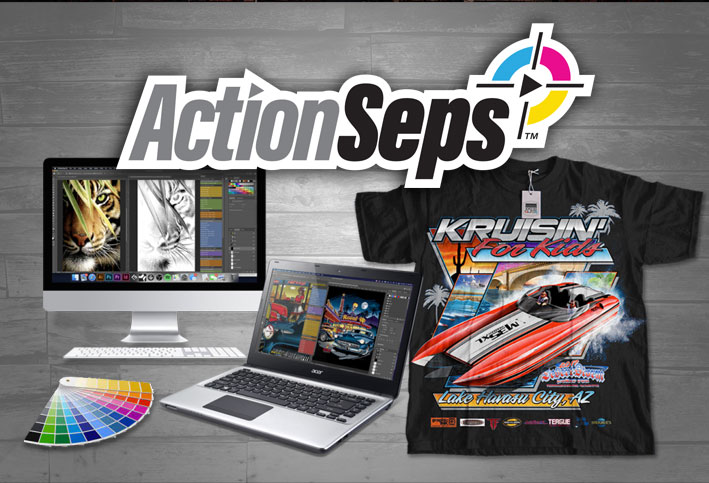
Simulated process course – ActionSeps™. The use of multiple spot color halftone screens to achieve a realistic image on a garment. Are you a screen printer? Graphic designer? Screen print business owner? This course teaches you step-by-step how to separate and screen print simulated process.
Course Content
Getting Started with ActionSeps™
Welcome & Joining the Community.
You don't currently have access to this content
How to Get Support.
You don't currently have access to this content
Discounted Adobe Suite Link.
You don't currently have access to this content
How to Install ActionSeps™.
You don't currently have access to this content
Module 1: Separating Full Color Art
Enhance Your Image.
You don't currently have access to this content
Reduce Your Seps to 6 or 4 Colors.
You don't currently have access to this content
Black & White Sim Process.
You don't currently have access to this content
Merge Seps and Reduce Screens.
You don't currently have access to this content
Seps for Color Shirts by Adding Black.
You don't currently have access to this content
Custom Brown, Orange, and Purple Screen.
You don't currently have access to this content
Making Flesh Tone Separations.
You don't currently have access to this content
Creating Custom Spot Colors.
You don't currently have access to this content
Choking and Spreading Colors.
You don't currently have access to this content
Saving Images as a PSD or EPS.
You don't currently have access to this content
Creating Halftones with No RIP.
You don't currently have access to this content
Troubleshooting Tutorials.
Command Error Troubleshooting.
You don't currently have access to this content
Inverted Separations. Why and the Fix.
You don't currently have access to this content
Module 2: Understanding Separations
Understanding Separation Color Theory.
You don't currently have access to this content
Screen Print Separation Color Theory.
You don't currently have access to this content
How to Adjust the White Base for Bright Colors.
You don't currently have access to this content
Dialing in the Highlight White.
You don't currently have access to this content
What is Gain and How to Compensate for it?
You don't currently have access to this content
Module 3: Simulated Process Screen Print Training
What Inkjet Printer and RIP Software We Use
You don't currently have access to this content
Warming Up Your Pallets Before Printing.
You don't currently have access to this content
How to Use a Flattening Screen – Manual Press.
You don't currently have access to this content
Using a Flattening Screen.
You don't currently have access to this content
Screen Printing Simulated Process on an Automatic Press from Start to Finish.
You don't currently have access to this content
Live Print Examples
6 Color Simulated Process on a Manual Press.
You don't currently have access to this content
Good Separations vs Bad. Simulated Process Results on Press.
You don't currently have access to this content
Rap Icon T-Shirt 8 Color Sim Process Print.
You don't currently have access to this content
7 Color Simulated Process Goth Print on Black Shirts.
You don't currently have access to this content
7 Color Motorcycle Sim Process on Gray Tees.
You don't currently have access to this content
BONUS 1: Manual Separations and Recording Actions.
How to Manually Separate Sim Process Art and Print on Press.
You don't currently have access to this content
Creating Enhance Image Actions.
You don't currently have access to this content
Make and Record Proof Window Actions.
You don't currently have access to this content
Manually Separate and Record Actions.
You don't currently have access to this content
Make Reduce to 6 Colors Actions.
You don't currently have access to this content
Recording Reduce to 4 Color Actions.
You don't currently have access to this content
Create Color Merge Actions.
You don't currently have access to this content
BONUS 2: Registration Template.
Registration Template Tutorial.
You don't currently have access to this content
Student Q&A.
Adjusting the White Base and Overprint Colors to be Bright.
You don't currently have access to this content
Separating Spot Color Art with a Gradient.
You don't currently have access to this content
Anchor 4 Color Simulated Process Sep Help.
You don't currently have access to this content
Coating Screens Quiz
You don't currently have access to this content

i cant see the videos??? i have a fulltime job sometimes i dont have enought time to watch the videos right away , but i really interested in this course , can you please help me out
All fixed! I apologize about the inconvience.
hi, whenever I save the file as PSD or EPS. when I go to open it in Adobe, I keep getting unsupported color mode or depth. Only RGB, CMYK, Grayscale, and Bitmap are supported. so am I doing somthing wrong in my steps?
Email me support@actionseps.com a screenshot and I’ll help you troubleshoot what’s going on.
Hello,
There’s no video attached to “What Is Gain And How To Compensate For It?” in Module 2. Everything else looks fine so far. It’s just that one that one that doesn’t come up.
Thanks for the heads up! I’ll look into the issue and get it taken care of.